
From idea to book, the space designed for creative humans
Structure your story, write with a smart editor, share your chapters securely and gather feedback from your beta readers — all in one place with Intrigo.
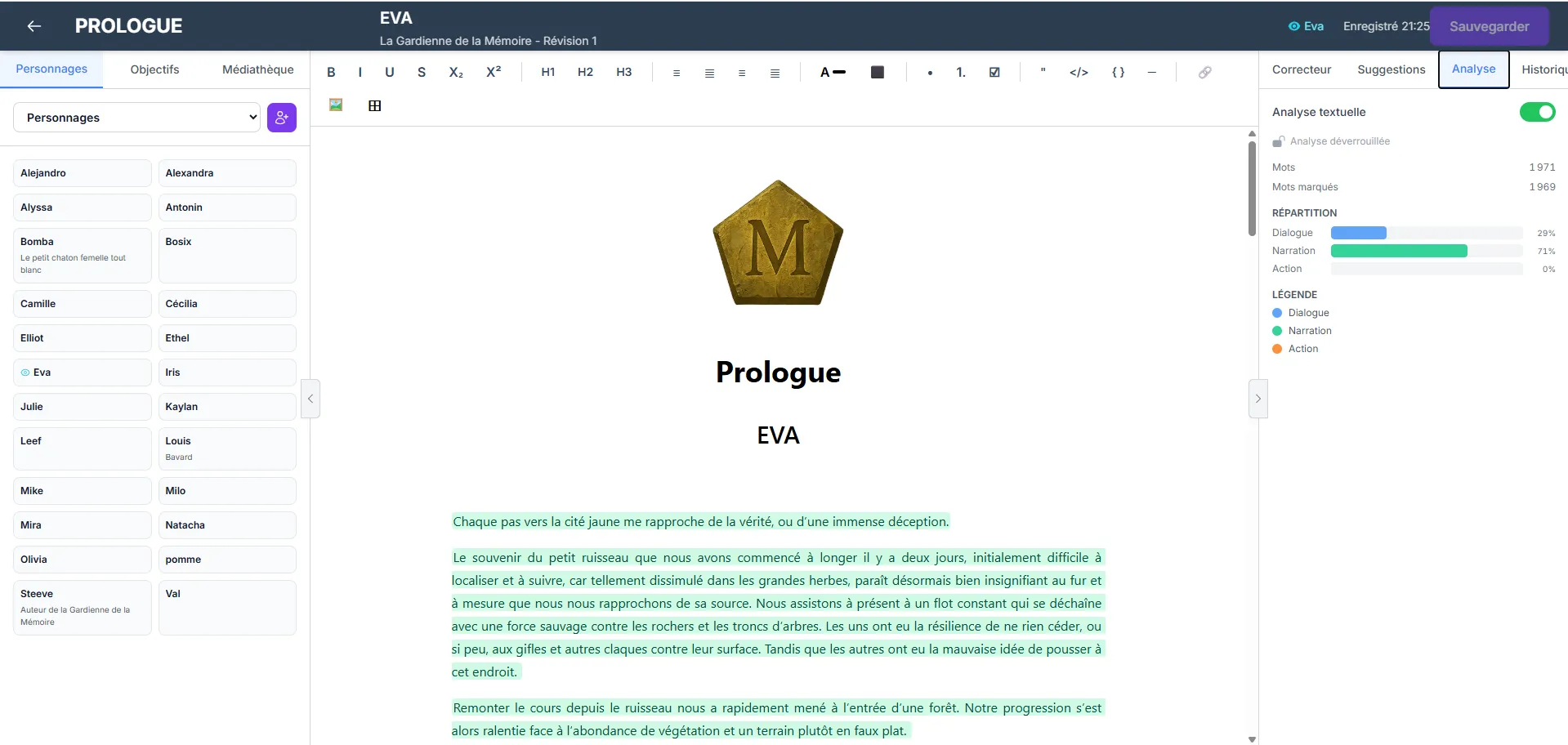
Your creative journey, from idea to manuscript
Five steps, one space. Intrigo guides you through every stage of the writing process.
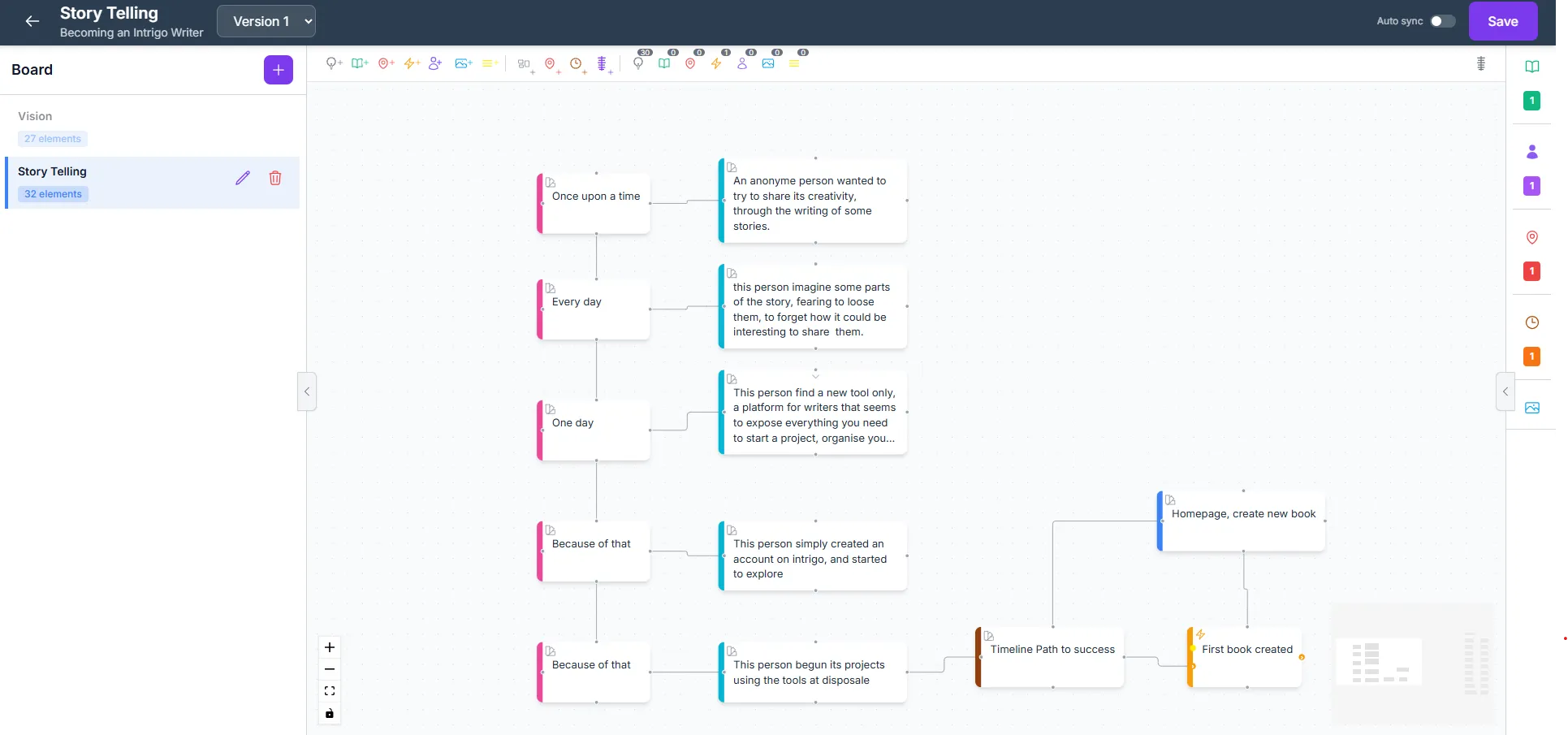
Structure your story
Before writing the first line, shape your narrative. Intrigo gives you visual tools to organize your ideas and build the foundations of your story.
- Visual board: organize ideas, chapters, objectives and characters on an interactive board
- Story Spine: build the narrative backbone of your story
- Sociogram: map the relationships between your characters
- Timeline: master the chronology of your plot
- Sync to book: turn your ideas into chapters and characters
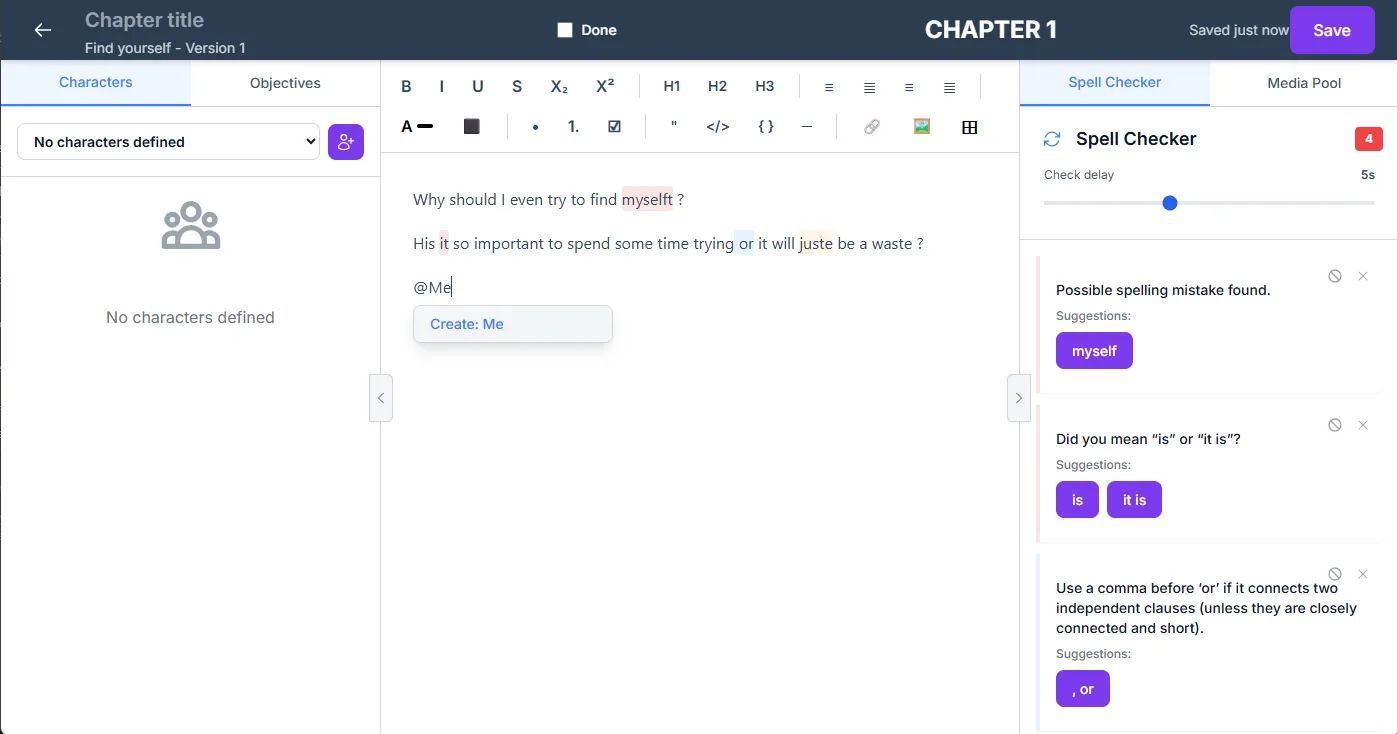
Write with confidence
An editor designed for long-form writing, with essential tools to progress confidently through your manuscript.
- Rich editor with real-time grammar checking and explanations
- Chapter-based organization with customizable order
- Auto-save every 30 seconds
- Book versioning to freeze your progress
- Customizable workflow and burnup chart to track your progress
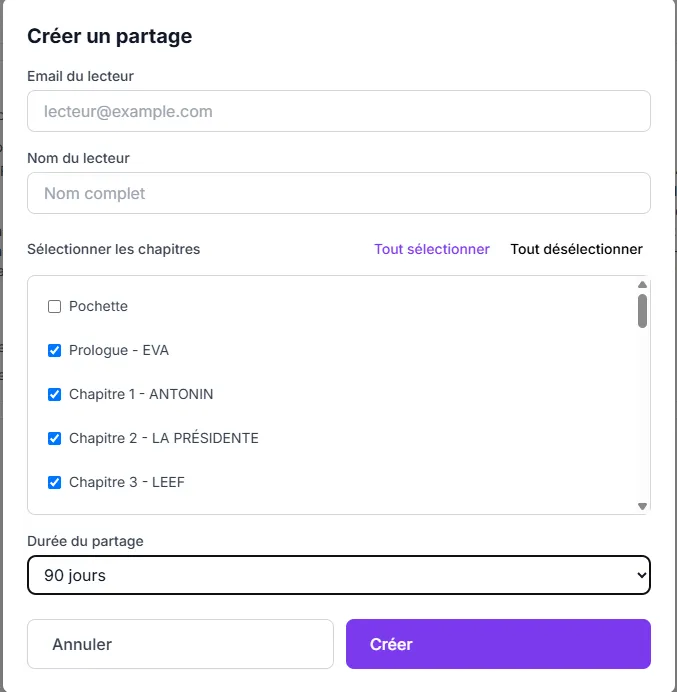
Share securely
When your text is ready for outside eyes, share it with your beta readers while keeping control.
- Select a version and chapters to share
- Invite your beta readers by email
- Double security: unique link + verification code
- Revoke access at any time
- Immersive reading in Intrigo Reader
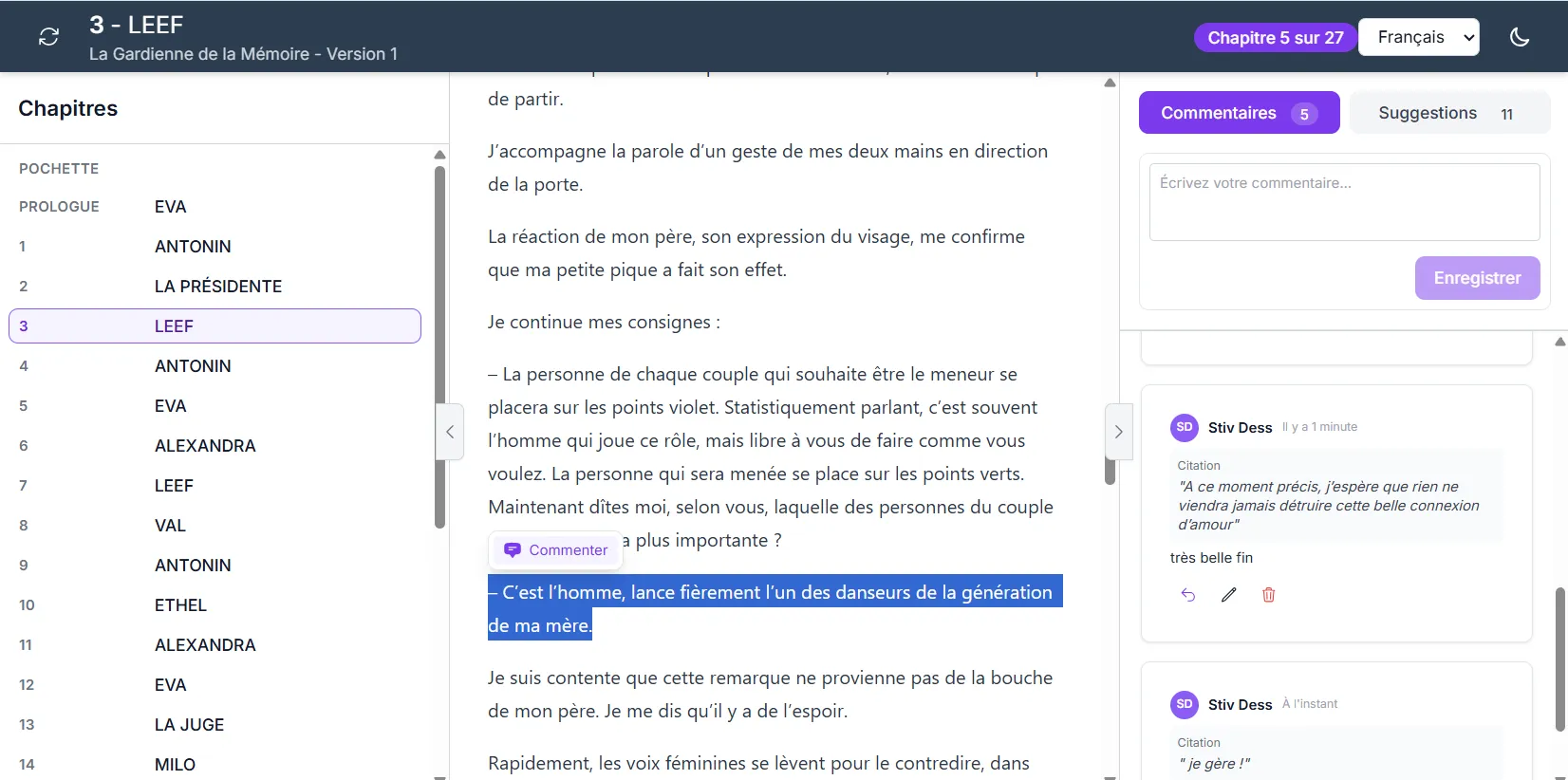
Collect and integrate feedback
Your beta readers annotate directly in the text. You find their feedback in your editor and decide what to do with it.
- Your readers read and annotate in Intrigo Reader
- Contextual annotations and suggestions on the text
- Find each annotation directly in the editor
- Decide for each feedback: accept, reject or archive
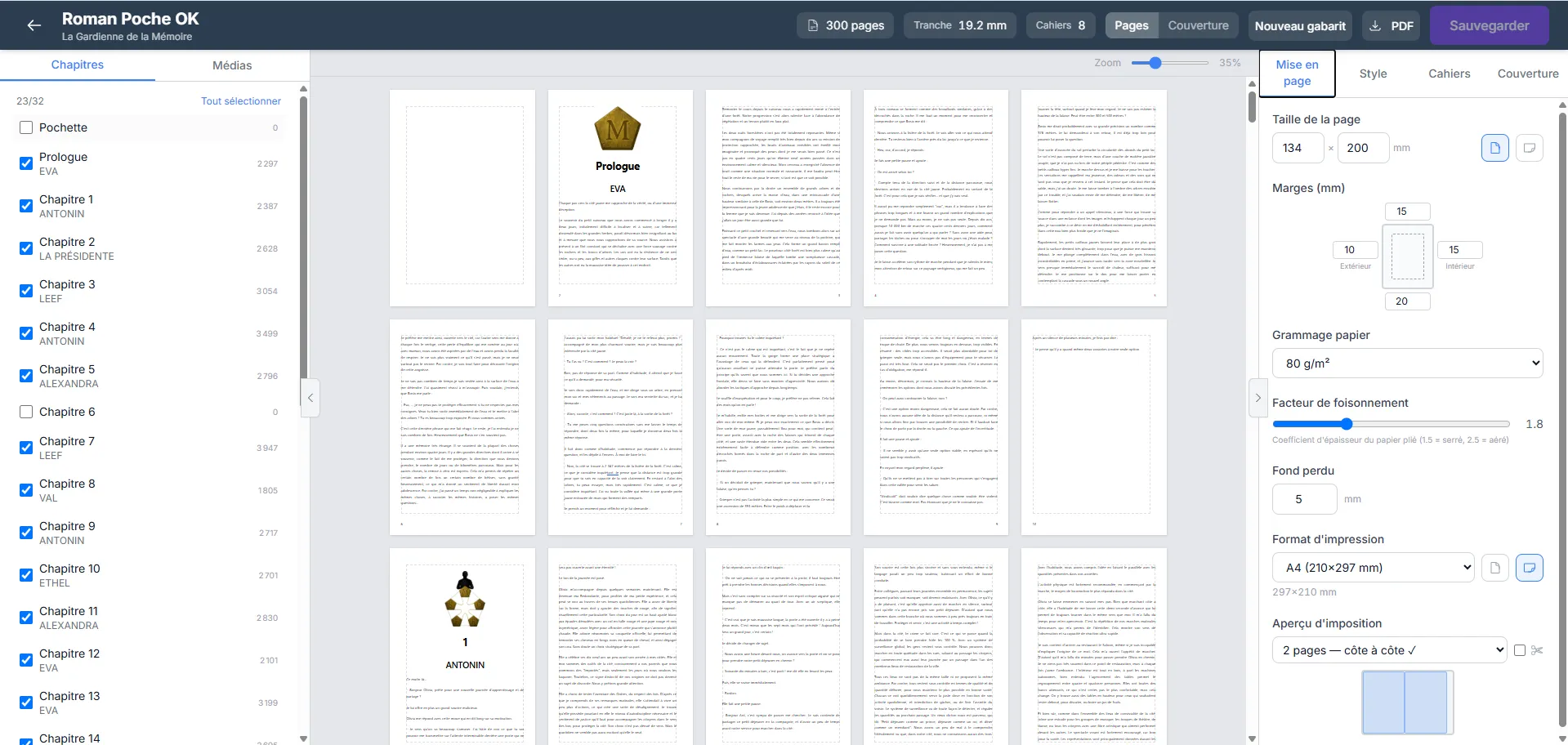
Prepare your book for printing
Your manuscript is ready? Intrigo takes you all the way to print.
- Real-time paginated preview, true to the printed result
- Professional page layout (pocket, A4, custom size)
- Configurable margins, font, line spacing, headers and footers
- Cover designer with images and SVG template for the printer
- Signature management, imposition plan and automatic spine calculation
- One-click PDF export, ready to print
From idea to printed book, without leaving Intrigo.
And more...
Additional tools to support your writing project every day.
Character management
Add your characters with the mention (@) from your text and view your character sheets in the side panel.
Media library
Import your images into your book's media library and insert them into your chapters.
Free documents
Create supplementary documents (notes, sheets, outlines) with the same editor and spell checking.
Export DOCX, HTML, Markdown
Export your chapters and documents in common formats for printing or sharing.
Google Docs import
Import your documents from Google Drive and find them directly in your Intrigo workspace.
Dialogue / narration / action analysis
Visualize the distribution between dialogue, narration and action in your chapters to balance your story.
Booklet creation
Generate a print-ready booklet to fold and staple from your PDF-exported documents.
EPUB / DOCX import
Import an existing manuscript in EPUB, DOCX or ODT format. Chapters are detected automatically.
Character sheet import
Import your character sheets from a Markdown or CSV file. Fields are detected and mapped automatically.
Why Intrigo?
Designed for creatives
Designed for humans who want to create and share a piece of their imagination.
The essentials, nothing more
Interface designed to either focus solely on writing, or use only the essential tools for text improvement and story coherence.
Hosted in Europe
Your data is hosted in Germany, within the European Union.
Your texts remain yours
Your manuscripts are never read, never exploited, never sold. It's in our Terms of Service.
Never used to train AI
No artificial intelligence accesses your content. Ever.
Export anytime
Export your data at any time, regardless of your plan.
Enhanced security
Mandatory two-factor authentication. Automatic backups.
Start writing
Standard
No commitment
- Unlimited books
- Unlimited versions
- 50 GB storage
- Spell checking
- DOCX, EPUB, PDF export
- Google Docs import
- Print preparation
Standard
that's €4.08/month
☕ The price of two coffees a month
- Unlimited books
- Unlimited versions
- 50 GB storage
- Spell checking
- DOCX, EPUB, PDF export
- Google Docs import
- Print preparation